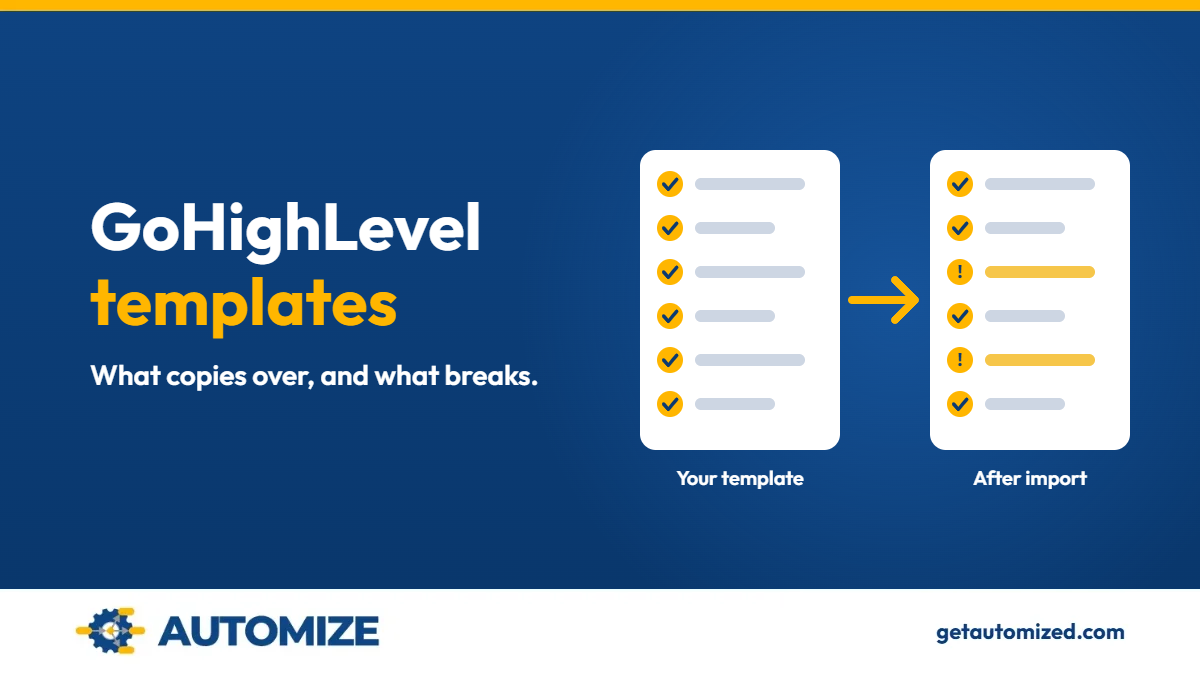
GoHighLevel templates are reusable copies of a single asset, such as a workflow, funnel, email, form or dashboard, that you import into a sub-account instead of building from scratch. Automize, led by Ryan Van Tricht, builds and repairs GoHighLevel systems, and the pattern to watch for is this: the template copies the layout, but the connections behind it do not come along.
That is where silent failures start. The page looks finished, the workflow looks finished, and leads stop routing or follow-up stops sending without any error on screen.
What is a GoHighLevel template?
A GoHighLevel template is a saved, reusable copy of one asset. HighLevel’s Template Library lets an agency publish reusable assets so sub-accounts can start from an approved version instead of a blank page. Templates exist for funnels, websites, emails, forms, workflows, dashboards and other product areas, and the available types vary by product.
A snapshot is different. A snapshot packages many assets from a sub-account at once. If you are moving a whole account setup, read our guide to GoHighLevel snapshots instead. If you are moving one workflow, one funnel or one email, you are working with templates.
Want to know if we are a fit for your build?
Tell us how your business runs and what you need it to do, and we will tell you how we would build it.
We review every submission and follow up within 2–3 business hours. No obligation. No sales pitch.
Where do GoHighLevel templates come from?
There are four common sources:
- HighLevel’s own Template Library, which agencies can browse and manage by sub-account.
- Your agency’s custom templates. HighLevel’s documentation says creating new custom templates requires an Agency Admin on the $497/month plan.
- Share links. Email templates can be shared by link and cloned into a destination sub-account.
- Templates from third-party sellers or other agencies, including the Template Library marketplace workflow.
What copies over when you import a workflow template?
HighLevel’s documentation for copying a workflow to another sub-account lists what travels with it: contact tags, contact custom fields (the field type has to match), sub-account custom values, opportunity custom fields, opportunity pipelines and stages, and email and SMS text templates. The copied workflow lands in draft by default.
Everything else is cleared. HighLevel states that other assets and references are removed from the workflow before it is copied.
What breaks after you import a GoHighLevel template?
This is the section most template guides skip. Based on HighLevel’s published behavior:
- References to assets that did not copy. A step that pointed at a calendar, form, pipeline stage, user or another workflow in the source account can come in blank, because those references are cleared. The workflow looks complete in the list and does nothing at that step.
- Custom fields with a different type. Fields copy only when the type matches. A mismatch leaves the field unmapped.
- Integrations and connections. Snapshots and templates move configuration, not third-party connections. Stripe, email sending domains, social accounts and calendar sync have to be reconnected in the new account.
- Phone numbers and messaging registration. Numbers and A2P registration are tied to the account, not the template. SMS steps that depend on them will not send until the destination is set up. Our GoHighLevel Twilio guide covers what happens to numbers when you move them.
- WhatsApp templates. After import, they are submitted for Meta approval and cannot be used until approved.
- Imported pages are drafts. Funnels and websites need content review, a domain and publishing before they are live.
- Edits do not sync. A cloned email template or a published library template does not update when the original changes. Treat each import as its own copy that needs its own maintenance.
How do you test a template after importing it?
- Keep the imported workflow in draft.
- Replace every placeholder: business name, custom values, links, sender details.
- Open each step and confirm it points at an asset that exists in this account.
- Run an internal test contact through the full path: form submission, tag, pipeline stage, message, internal notification.
- Check the execution log, not just the inbox.
- Publish only after the test contact behaves the way a real lead would.
The same test-first approach runs through every build we do. See how our GoHighLevel implementation process uses a separate test environment before anything goes live.
Should you use a template or have it built?
A template is a reasonable starting point when the asset has few moving parts, you can test it, and the process it describes matches how your business runs. It becomes expensive when the template was built for someone else’s sales process and your leads route differently. Rebuilding after a failed import can cost more than building the asset correctly once.
If the asset touches lead routing, payments or follow-up, the build is usually worth having done by someone who has seen where these break. That is the work behind our GoHighLevel consultant services, and it is why the GoHighLevel workflows we build are tested end to end before they go live.
Not sure whether a template will work for you?
Tell us what you are trying to import and how your leads should flow.
We review every submission and follow up within 2–3 business hours. No obligation. No sales pitch.
Frequently asked questions
Do GoHighLevel templates include my integrations?
No. Templates carry configuration, not live connections. Payments, email sending, calendars and social accounts live in the account that owns them, so a template cannot bring them along. Reconnect each one in the destination account, then test it with a contact before anything goes live.
Why did my imported workflow stop at a step?
The step probably referenced an asset that did not copy, so HighLevel cleared the reference. Open each action in the workflow and point it at an asset that exists in the new account. Then run a test contact through the full path and check the execution log, not just the inbox.
What is the difference between a template and a snapshot?
A template copies one asset, and a snapshot packages many. A snapshot loads a sub-account setup, such as workflows, funnels and forms, all at once. Use a template for one workflow, funnel or email, and a snapshot when you are moving an entire setup.
Are imported templates live right away?
No. Imported workflows arrive in draft, and imported funnels and websites need review and publishing. Replace placeholders such as the business name, custom values and links first. Nothing should go live until a test contact has passed through it.
Can I edit a template and update everything that used it?
No, not automatically. Cloned and published templates are copies, so changes to the original do not flow through to copies already imported. Each import needs its own maintenance, so update the copies you still use one at a time.
We already paid someone to set this up and it still doesn’t work. Can you fix it?
Yes, that is a common starting point. We rebuild the broken pieces correctly rather than patching them, and you work directly with Ryan Van Tricht, not a handoff to a junior. The fit check is a low-risk first step with no obligation and no sales pitch.
What does it cost?
Automize does not publish prices, because scope is settled in discovery. You receive a fixed-price proposal with clear phases and deliverables before any building starts. For ongoing work, we offer pre-paid hours in bulk and monthly retainers of six months or more.
Have it built correctly the first time
If you have been burned before, the pattern is usually the same: something looked finished on delivery and failed quietly later. You work directly with Ryan, the person building your system, and we build the architecture correctly from day one. The fit check below is a low-risk first step.
Our clients have rated Automize five stars in 16 Google reviews.
Want to know if we are a fit for your build?
Tell us how your business runs and what you need it to do, and we will tell you how we would build it.
We review every submission and follow up within 2–3 business hours. No obligation. No sales pitch.
Who builds your system
I’m Ryan Van Tricht, Founder & CEO of Automize and a Business Automation Strategist. I have 9 years in business and automation, including 6 years specializing in GoHighLevel. I’m certified in Infusionsoft/Keap, ActiveCampaign and Zapier, with deep command of HubSpot, Ontraport, Shopify, n8n, WordPress and WooCommerce. One example: for a multi-location home services company running HVAC, plumbing and electrical work, I connected GoHighLevel to its scheduling, payment and call-tracking tools so staff stopped re-entering the same customer information by hand. See the home services integration case study.
More about me: Ryan’s author page and LinkedIn.
Based on HighLevel’s public help documentation, checked November 9, 2026. Plan terms and limits change, so confirm current details in HighLevel before you act.