GoHighLevel Social Media Planner: Stop Paying for Standalone Social Media Tools
If you are like most business owners, your marketing stack is a patchwork of subscriptions. You use a CRM for leads, an email tool for newsletters, and a separate scheduling tool like Hootsuite, Buffer, or Later just to post to your social media accounts. Not only does this cost you hundreds of dollars extra per year, but it also creates a massive disconnect in your data.
When someone comments on a Facebook post, you have to log into Facebook to reply. When someone sends an Instagram DM, it sits in your phone until you remember to check it. Your social media audience and your actual sales pipeline are completely separated.
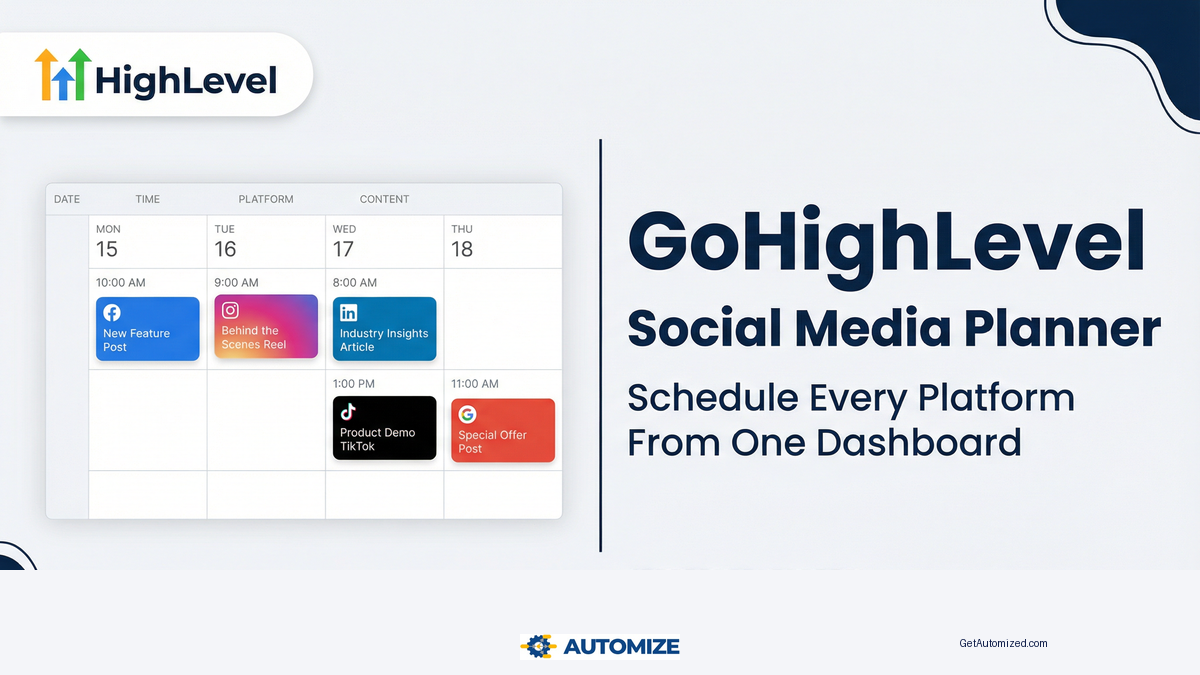
The GoHighLevel (GHL) Social Media Planner solves this by bringing your entire social media presence directly into your CRM. You can plan, schedule, publish, and respond to engagement across all major platforms from the exact same dashboard where you manage your leads and sales.
What Platforms Does the GoHighLevel Social Planner Support?
The GHL Social Planner integrates natively with the platforms that matter most for local businesses, agencies, and e-commerce brands. Currently, you can connect and schedule posts for:
- Facebook: Pages and Groups
- Instagram: Business Accounts
- Google Business Profile: Direct updates and offers
- LinkedIn: Company Pages and Personal Profiles
- Twitter (X): Personal and Business Accounts
- TikTok: Direct video and text publishing
By connecting all these platforms to a single dashboard, you eliminate the need to jump between tabs. You create the content once, select which platforms it should go to, and schedule it for the optimal time.
How to Set Up the GoHighLevel Social Planner
Getting started with the Social Planner is incredibly straightforward. Because it is built directly into your GoHighLevel CRM setup, you do not need any complex API keys or third-party connectors.
Step 1: Connect Your Social Accounts
- Navigate to Marketing > Social Planner in your GHL dashboard.
- Click the gear icon (Settings) in the top right corner.
- Click Connect a new Facebook Page/Group, Connect a new Instagram Account, etc.
- Log into the respective platforms and grant GoHighLevel the necessary publishing permissions.
Step 2: Create Your First Post
Once your accounts are connected, you are ready to start scheduling.
- Click the New Post button in the Social Planner dashboard.
- Select the accounts you want to publish to. You can select one, a few, or all of them simultaneously.
- Write your caption, add your hashtags, and upload your media (images or video).
- Pro Tip: GHL allows you to customize the caption for each platform within the same composer window. You can write a longer, hashtag-heavy post for Instagram, and a shorter, link-focused version for Twitter, all without leaving the screen.
Step 3: Schedule or Publish
You have three options for your post:
- Post Now: Pushes the content live immediately across all selected platforms.
- Schedule Post: Allows you to pick a specific date and time for the content to go live.
- Send for Approval: If you are an agency managing content for a client, or a marketing manager submitting to an owner, you can send the post for internal approval before it gets scheduled.
The Secret Weapon: Google Business Profile Updates
While scheduling to Facebook and Instagram is standard, the ability to schedule Google Business Profile (GBP) Updates is a massive advantage for local SEO. According to Moz’s Local Search Ranking Factors, active engagement and frequent updates on your Google Business Profile directly correlate with higher visibility in the local “Map Pack.”
With the GHL Social Planner, you can schedule weekly “Offer” or “What’s New” posts directly to your Google listing. When combined with automated GoHighLevel reputation management to generate 5-star reviews, your local SEO strategy becomes completely automated.
Advanced Features for Content Teams
If you are managing a high volume of content, the GoHighLevel Social Planner has several advanced features designed to save you hours of manual work.
CSV Bulk Uploading
If you plan your content in a spreadsheet, you do not need to copy and paste each post individually. You can download the GHL CSV template, fill it with your captions, image URLs, and dates, and upload 30, 60, or 90 days of content in a single click.
The Media Library
The Social Planner connects directly to your GHL Media Library. You can upload all your brand assets, logos, and videos once, and access them instantly when building posts. No more hunting through your computer’s download folder for the right image.
Unified Conversations
This is where the true power of an all-in-one platform shines. When you schedule a post through Hootsuite and someone comments on it, you have to log into Facebook to reply. In GoHighLevel, when someone comments on your Facebook post or sends an Instagram DM, that message appears directly in the Conversations tab of your CRM.
You can reply to the comment, tag the contact, and even drop them straight into a GoHighLevel workflow automation to convert that social engagement into a booked appointment.
Conclusion: Consolidation is the Key to Scaling
Marketing only works when it is consistent. The reason most businesses fail at social media is that logging into five different platforms every day is exhausting and inefficient.
By moving your social media scheduling into GoHighLevel, you eliminate a standalone software subscription, ensure your content goes out on time, and connect your social audience directly to your sales pipeline.
If you need help configuring your Social Planner, connecting your accounts, or building the automations that turn social comments into paying customers, the team at Automize is ready to help.
Frequently Asked Questions about GoHighLevel Social Media Planner
Can I schedule Instagram Reels and TikToks through GoHighLevel?
Yes. The GoHighLevel Social Planner supports direct video publishing to both Instagram (as Reels or standard posts) and TikTok, allowing you to manage your short-form video strategy from the dashboard.
Do I need a separate tool like Zapier to connect my social accounts?
No. GoHighLevel has native, direct integrations with Facebook, Instagram, Google Business Profile, LinkedIn, Twitter, and TikTok. You do not need Zapier or any other third-party connector to schedule posts.
Can I tag other accounts in my scheduled posts?
Yes, you can use the standard @mention syntax in the composer window to tag other business pages or profiles, depending on the specific platform’s API limitations.
Can multiple team members use the Social Planner?
Yes. You can grant specific team members access to the Social Planner. GHL also includes an approval workflow, so a junior team member can draft posts that require a manager’s approval before they are scheduled to go live.