GoHighLevel Funnel Builder
In the digital landscape of 2026, sending traffic to a traditional website is often a waste of advertising budget. Traditional websites are digital brochures—they give visitors dozens of options, links, and distractions. A sales funnel, on the other hand, is a guided digital experience designed to do exactly one thing: convert a visitor into a lead or a customer.
The GoHighLevel (GHL) Funnel Builder has rapidly become the industry standard for creating these high-converting experiences. By combining a drag-and-drop page builder with native CRM integration, split testing, and automated follow-ups, it eliminates the need to duct-tape multiple software platforms together. According to industry conversion data, dedicated landing pages within a structured funnel can convert at rates 2 to 3 times higher than standard website pages.
In this guide, we will break down how to leverage the GoHighLevel Funnel Builder to design pages that capture attention, build trust, and drive measurable revenue.
Why the GoHighLevel Funnel Builder Replaces ClickFunnels
For years, businesses relied on standalone funnel builders like ClickFunnels or Leadpages. The problem with these platforms is data fragmentation. When a lead opts into a standalone funnel, you still have to use Zapier to push that data into your CRM, then into your email marketing tool, and then into your pipeline.
GoHighLevel solves this by bringing the funnel directly into the CRM environment. When a prospect submits a form on a GHL funnel page:
- Their contact record is instantly created or updated in the CRM.
- They are automatically dropped into the correct GoHighLevel Pipeline stage.
- The GoHighLevel Workflow Automation engine immediately triggers the appropriate SMS and email follow-up sequence.
- Every page view, click, and form submission is tracked in a unified reporting dashboard.
This native integration means faster load times, zero data loss, and a significantly lower monthly software bill.
Key Features of the GHL Funnel Builder
The GoHighLevel Funnel Builder is designed for both speed and deep customization. Whether you are launching a simple lead magnet or a complex multi-step webinar funnel, the platform provides the necessary tools.
Drag-and-Drop Visual Editor
The interface uses a standard Section > Row > Column > Element hierarchy. You can drag in headlines, videos, countdown timers, 2-step order forms, and custom HTML blocks without writing a single line of code. For mobile optimization, you can toggle between desktop and mobile views, adjusting padding and font sizes specifically for smaller screens.
A/B Split Testing
Never rely on gut feeling when it comes to conversion rates. GoHighLevel allows you to create an “A/B Test” for any step in your funnel. You can test a new headline, a different button color, or a completely different layout. The system will automatically split the traffic 50/50 and declare a winner based on actual opt-ins or sales.
2-Step Order Forms and Upsells
If you are selling digital products, event tickets, or consulting packages, the 2-Step Order Form is crucial. Step 1 captures the user’s name and email. Step 2 captures their credit card information (via native Stripe integration). If they abandon the page after Step 1, their contact info is already saved, allowing you to trigger an automated “cart abandonment” email sequence.
Furthermore, you can easily add “Order Bumps” (a small add-on offer right before checkout) and “One-Click Upsells” (an additional offer presented immediately after the initial purchase) to maximize your Average Order Value (AOV).
Building a High-Converting Lead Generation Funnel
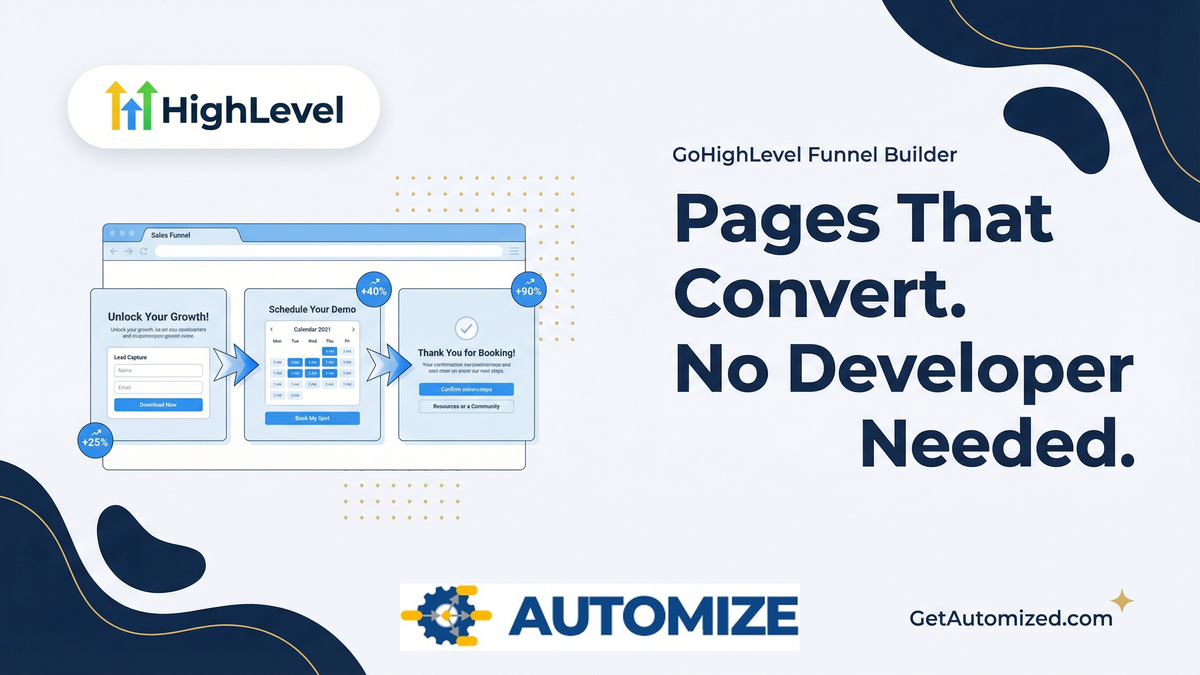
If you are a service business or agency, the “Lead Magnet + Booking” funnel is the most reliable architecture. Here is how to structure it in GoHighLevel:
Step 1: The Opt-In Page (The Hook)
This page offers something of value—a free guide, a checklist, or a video training—in exchange for the visitor’s email address. The page should have a bold, benefit-driven headline, a clear mockup image of the free resource, and a simple GoHighLevel form.
Step 2: The VSL / Booking Page (The Bridge)
Immediately after opting in, the user is redirected to a Video Sales Letter (VSL) page. The video delivers on the promise of the free resource while simultaneously introducing your core service as the ultimate solution. Below the video, embed a GoHighLevel Calendar widget. This capitalizes on their peak interest to drive an immediate booked appointment.
Step 3: The Thank You Page (The Confirmation)
Once they book a call, redirect them to a final confirmation page. This page should congratulate them, confirm the date and time, and provide “homework” (e.g., a questionnaire or a link to your case studies) to ensure they show up to the call prepared and pre-sold.
To ensure they actually attend, make sure this funnel is connected to a proper GoHighLevel Appointment Funnel reminder sequence.
When to Hire a Funnel Architect
While the GoHighLevel Funnel Builder is user-friendly, building a funnel that actually converts cold traffic into paying clients requires a deep understanding of direct-response copywriting, conversion rate optimization (CRO), and user psychology.
A poorly designed funnel with confusing copy will burn through your ad budget regardless of how good the software is. If you are struggling to get your pages to convert above 10%, or if you need complex custom CSS/JavaScript elements to match your brand exactly, it is time to bring in an expert.
At Automize, we don’t just build pretty pages; we engineer conversion systems. We handle the copywriting, the design, the technical integration, and the backend automation so you can focus on closing the leads we generate.
Stop sending traffic to pages that don’t convert. Let’s build a funnel that drives revenue.

Frequently Asked Questions (FAQ)
Can I host my GoHighLevel funnels on my own domain?
Yes. You can easily connect your own custom domains or subdomains (e.g., offer.yourdomain.com) to your GoHighLevel funnels by adding a simple CNAME or A Record in your DNS settings.
Does the GoHighLevel Funnel Builder support custom CSS and JavaScript?
Yes. While the drag-and-drop editor covers 95% of design needs, advanced users can add custom CSS at the page or element level, and inject custom JavaScript into the header or footer for tracking codes or advanced functionality.
How do I track conversions in a GoHighLevel funnel?
GoHighLevel has built-in analytics that track page views, opt-ins, and sales automatically. Additionally, you can easily paste your Facebook Pixel, Google Analytics tag, or Google Tag Manager code into the global funnel settings to track conversions across external ad platforms.
Can I import my existing ClickFunnels pages into GoHighLevel?
Yes. GoHighLevel includes a built-in importer tool. You simply paste the URL of your existing ClickFunnels page, and the system will clone the layout and elements into the GHL builder, saving you hours of manual rebuilding.