Key Takeaways
- The Go High Level API removes no-code limitations, enabling custom automations, real-time data sync, and deeper CRM functionality.
- Webhooks and Zapier integrations expand HighLevel’s ecosystem, connecting campaigns, pipelines, and contact data with thousands of external tools.
- Expert implementation ensures secure, scalable automation, reduces errors, and helps businesses maximize ROI from their entire tech stack.
As businesses scale, the number of tools they rely on tends to multiply, including CRMs, marketing platforms, scheduling apps, billing systems, and more. Before long, teams are spending more time jumping between platforms than actually moving work forward. Data becomes fragmented, workflows slow down, and the tech stack that was supposed to streamline operations starts working against you.
This is where a strong integration strategy becomes essential, and the Go High Level API offers one of the most potent ways to create a connected, high-performing system. With the right approach, your CRM, automations, and customer workflows function as one cohesive engine, rather than separate moving parts.
At Automize, we work with the Go High Level API every day, helping businesses replace manual tasks with seamless, automated processes that scale effortlessly. In this article, we’ll break down what the Go High Level API can do, how it improves operational efficiency, and why partnering with a technical team like Automize ensures you get maximum value from every integration.
Schedule a GoHighLevel Consultation
Understanding The Go High Level API: Powering Custom Solutions
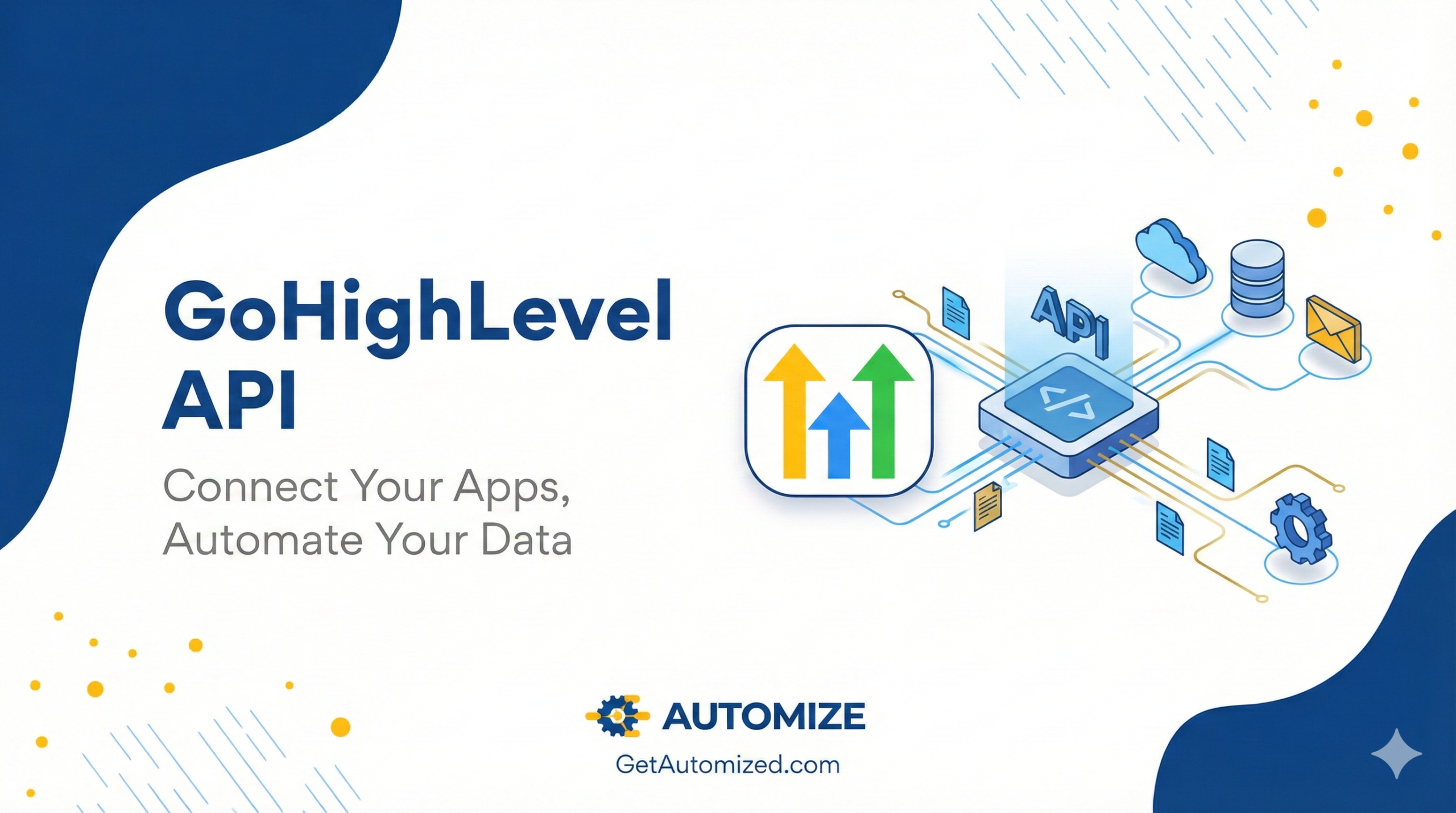
The Application Programming Interface (API) is the invisible backbone that allows developers to extend the core functionality of any platform. In the context of GoHighLevel (GHL), the Go High Level API serves as a secure, programmatic gateway into the system’s vital components, contacts, calendars, campaigns, and pipelines. For agencies and businesses managing high client volumes or specialized workflows, the standard GHL dashboard and its built-in automation often reach their limit.
For those still exploring foundational platform capabilities, learning what is go high level can provide helpful context before diving deeper into API customization.
Why the API is Essential for Scale
The primary reason to utilize the GoHighLevel developer API is to overcome “no-code” limitations and execute actions that require speed, complexity, or integration with external, specialized software.
- Custom Data Synchronization: The API enables the real-time creation, reading, updating, and deletion (CRUD) of core GHL data. This is crucial for syncing leads from proprietary landing pages, updating contact information from a specialized sales tool, or pushing detailed opportunity data into a custom reporting dashboard.
- Automation Beyond Workflows: While GHL’s Workflows are powerful, the API enables automations that fire instantly and connect GHL data to systems outside its native view, such as sending lead quality scores from an external AI tool back into a contact’s custom fields.
- RESTful Architecture: The GHL API is built on a REST (Representational State Transfer) architecture, which utilizes standard HTTP request methods (GET, POST, PUT, DELETE) to manage resources, making it reliable and familiar to most developers. It uses JSON as its primary data format, ensuring data transfer is lightweight and easy to parse.
Authentication and Access
Access to the API is secured through tokens, primarily:
- Private Integration Tokens: Used for internal or personal integrations, granting full access to all API endpoints for the associated account.
- OAuth 2.0 Flow: Used for public, third-party applications, providing a standardized, secure way for users to grant limited access (defined by scopes) to their GHL data.
Understanding these fundamentals is the first step toward building the seamless go high level api integration that will truly unlock the platform’s potential for your business. Many teams preparing for this next step benefit from reviewing the Go High Level API guide to understand essential endpoints and setup considerations.
Key Features Of The GoHighLevel Developer API
Leveraging this API enables developers to automate processes, synchronize data, and extend platform functionality, creating more dynamic workflows and client experiences. Here’s a breakdown of the core features developers and technical leads need to know:
Comprehensive Contact Management
Access and manage detailed contact records, including creation, retrieval, updates, and deletion. The API supports granular segmentation, tag management, and custom field handling, enabling streamlined lead tracking and tailored communication.
Pipeline and Opportunity Automation
Programmatically create, move, or update deals within pipelines. This empowers agencies to automate qualification steps, status updates, and sales activity triggers, fueling a smoother sales process and enhanced visibility.
Multi-Channel Campaign Control
Trigger, pause, or modify email, SMS, and voice campaigns directly through the API. This extends automated marketing interventions and granular segment targeting across multiple communication channels.
Workflow and Task Automation
Initiate complex workflow sequences, set automatic tasks, and trigger actions based on customer behavior, all accessible through API endpoints. This centralizes process orchestration and reduces repetitive manual effort.
Dynamic Appointment Scheduling
Integrate external calendars, manage bookings, and trigger reminders or follow-ups via the API. Enhance client engagement by automating scheduling workflows and reducing appointment friction.
Reporting and Analytics Access
Retrieve campaign performance, pipeline progression, and contact engagement data in real time. The API empowers advanced reporting dashboards, custom analytics, and data-driven optimization.
White Label Enhancements
Fully customize user experiences and interfaces by leveraging endpoints that support branding assets, domain management, and custom login flows, ideal for agencies offering white-labeled platforms to their clients.
Achieving Seamless Go High Level API Integration
Unlocking the true potential of Go High Level means connecting it seamlessly to your existing tech stack. A well-executed API integration enables agencies and businesses to automate repetitive tasks, synchronize customer data in real-time, and orchestrate multi-channel campaigns with precision. Here’s how to make your Go High Level API integration truly effective.
Understanding Go High Level API Capabilities
The Go High Level API is robust, offering endpoints to manage contacts, opportunities, tasks, pipelines, campaigns, trigger events, and more. Whether you’re looking to automate lead capture, push updated contact statuses, or sync appointment data, the API provides key touchpoints for CRMs and marketing platforms.
Planning Your Integration Strategy
Begin by identifying the mission-critical data flows that are essential to your business. Identify the endpoints you need, such as contacts, opportunities, and conversations, and define how information should move between Go High Level and your other business tools, avoiding data silos and duplicate entry.
Best Practices for Secure and Reliable Connections
Implement secure authentication using OAuth or API keys, and restrict access according to user roles. Set up error handling and comprehensive logging to monitor data exchanges. Utilize rate limiting effectively to ensure system stability, and provide regular updates to your API integrations as both Go High Level and your connected apps release new features or change requirements.
Streamlining Workflows Through Automation
Trigger automations based on API events, such as a new lead submission, status change, or email interaction, to ensure timely and relevant communications. Integrations with platforms like Zapier or Make can further extend functionality, linking Go High Level to hundreds of other tools without requiring extensive custom development.
Ensuring Data Accuracy and Compliance
Before launching any integration, rigorously test for data consistency and integrity to prevent sync issues. Adhere to privacy standards and data protection regulations, especially when transferring customer information between platforms, by regularly reviewing and updating permission scopes and encryption protocols.
Leveraging Go High Level Webhooks For Real-Time Automation
Webhooks transform the Go High Level API into a real-time automation engine by acting as instant data messengers. They eliminate the need for constant, slow checking (polling) by automatically pushing data the moment an event occurs.
Why Webhooks are Essential
- Real-Time Speed: Webhooks ensure instant data transfer, allowing for immediate lead routing, external fulfillment triggers, or live notifications (e.g., Slack alerts) the second a key event happens in GHL.
- Automation Power: They enable complex automation outside GHL’s native workflows, connecting GHL data to specialized external systems without latency.
How They Work (Inbound vs. Outbound)
- Outbound Webhooks (GHL Sends): You place a Custom Webhook step in a GHL Workflow. GHL sends a JSON payload (containing contact/event data) as an HTTP POST request to a target external URL when the workflow is triggered.
- Inbound Webhooks (GHL Receives): You start a GHL Workflow with the Inbound Webhook Trigger. The unique URL provided by GHL is used by an external platform (such as a payment processor) to send data to GHL, immediately triggering a GHL automation sequence (e.g., updating a tag or sending a welcome email).
By using both types, the gohighlevel developer api allows you to build seamless, custom, and instantaneous automated systems. For teams wanting more in-depth guidance on setup from seasoned professionals, exploring go high level experts can be extremely valuable.

Integrating With External Tools: Go High Level Zapier API
In today’s marketing landscape, siloed systems mean lost opportunities. The Go High Level API unlocks automation potential by seamlessly bridging HighLevel’s robust CRM with the ecosystem of tools businesses already rely on, efficiently. One of the most versatile gateways for these connections is Zapier.
Streamlining Processes with Zapier
Zapier acts as an intermediary, connecting Go High Level with thousands of third-party apps, such as Slack, Google Sheets, Mailchimp, Shopify, and more. With pre-built and custom Zaps, repetitive manual tasks are eliminated. Data syncs in real time, leads flow smoothly into pipelines, and critical actions trigger automatically, maximizing productivity while minimizing errors.
Common Use Cases: Bringing Systems Together
Businesses leverage the Go High Level Zapier API to automate tasks such as syncing leads from web forms, updating spreadsheets with CRM data, initiating SMS sequences when deals progress, or pulling notifications into team chat channels. The result is a harmonized tech stack designed to boost response times, accelerate workflow, and ensure no opportunity goes unnoticed.
Getting Started: Configuration Essentials
Setting up the Go High Level Zapier integration involves connecting your HighLevel account with a Zapier account, selecting the appropriate triggers and actions, and mapping data fields between apps. Implementation typically requires minimal coding; most automations can be configured through Zapier’s intuitive visual editor, allowing quick deployment even for teams with limited technical expertise.
Troubleshooting Common GoHighLevel API Connection Issues
Integrating the Go High Level API can unlock powerful automation and data flows, but it’s not uncommon to encounter connection challenges along the way. Here’s how to quickly resolve the most common stumbling blocks that agencies and growing businesses face.
Invalid or Expired API Key
API requests will be rejected if you’re using an incorrect or expired key. Double-check that your API key is current and properly scoped. Regenerate and update the key in your integration settings if you suspect it’s compromised or out of date.
IP Restrictions and Firewall Settings
Unexpected authentication failures or timeouts can occur due to restrictive network settings. Ensure that your server or device isn’t blocking outbound connections to Go High Level’s API endpoints. Review your firewall rules and allowlist Go High Level’s IP addresses as needed.
Incorrect Endpoint URLs
Typos or outdated documentation can lead to requests being directed to the wrong URL, resulting in 404 or 401 errors. Always reference Go High Level’s latest API docs for the correct endpoints, especially when HighLevel releases feature updates or version changes.
Invalid Request Format
Malformed JSON, missing headers, or incorrect parameters will prevent your requests from being accepted. Validate the structure of your request body, including required fields and data types, before sending. Using an API client can help you quickly diagnose format-related issues.
Rate Limits and Throttling
If your application exceeds the allowed number of API requests, you might receive 429 errors. Monitor your integration’s request volume and add retry mechanisms with proper backoff intervals to stay compliant with Go High Level’s rate limits.
OAuth2 Authentication Issues
For integrations using OAuth2, problems often stem from incorrect redirect URIs or expired authorization tokens. Thoroughly review your OAuth2 configuration, ensuring all client IDs, secrets, and redirect URIs match the registered app settings. Re-authenticate if access or refresh tokens expire.
By systematically checking these common problem areas, teams can resolve most GoHighLevel API connection issues and ensure smooth, reliable automation.
Partner With Automize For Reliable Go High Level API Support
Unlocking the full potential of the Go High Level API demands more than surface-level integration. We bring deep, hands-on expertise to your team, delivering robust automation and CRM systems that evolve as your business grows.
Seamless Integrations, Zero Guesswork
We ensure your Go High Level API connects smoothly with the rest of your tech stack, be it email marketing, e-commerce platforms, or call tracking solutions. Our team handles the technical setup, allowing you to focus on strategy and growth.
Rapid Customization and Issue Resolution
With us, you won’t wait weeks for answers. We deliver fast troubleshooting and practical solutions, fine-tuning workflows, triggers, and automation sequences, so you can adapt to changing business needs in real-time.
Advanced Automation and Workflows
We don’t just link your tools, we build, optimize, and customize complex, result-driven workflows using the Go High Level API. Centralize communications, automate lead capture, and drive high-converting campaigns without the headaches of DIY implementation.
Final Thoughts
A well-planned Go High Level API integration transforms your CRM from a standalone tool into the operational engine of your entire business. When your data flows cleanly, your automations fire instantly, and your systems speak the same language, you unlock efficiency, clarity, and scale that simply aren’t possible with disconnected tools. Whether you’re streamlining workflows, improving reporting, or building advanced automation, the right API strategy turns HighLevel into a true growth multiplier. And with expert support from Automize, your integrations become reliable, secure, and built for long-term performance.
Read also:
- Unlock Your Business Potential With GoHighLevel
- Struggling With Go Highlevel Setup? Automize Can Help!
- Troubleshooting GoHighLevel: Solutions for Common Problems
Read more about Automize as your Go High Level Consultant
Frequently Asked Questions About Go High Level API
Is the Go High Level API free to use?
Access to the Go High Level API is included with most HighLevel account plans. However, your overall platform subscription determines which API features you can utilize. There are no additional per-API-call charges, so you can integrate, automate, and develop without worrying about hidden costs. For precise access based on your account, consult your HighLevel subscription details or an Automize expert.
What authentication methods does Go High Level API support?
The Go High Level API leverages secure authentication methods, primarily API Key-based authentication. Users generate their unique API Key within their HighLevel account settings. This mechanism ensures that only authorized systems and users have access, providing a secure integration experience for agencies and businesses while protecting sensitive data.
How do I create a new contact via the API?
To create a new contact, your application should make a POST request to the /contacts/ endpoint, supplying contact details (such as name, email, phone, and custom fields) in JSON format. Go High Level’s API documentation outlines required and optional parameters for maximum flexibility. As a certified HighLevel consultant, Automize can assist with robust contact syncs, migrations, and lead capture automations.
Does the API support CRM integrations?
Yes. The Go High Level API was purpose-built for CRM-driven workflows. It supports deep integration with third-party CRMs, marketing tools, and business apps, either directly or through platforms like Zapier, Make, and Pabbly. Automize specializes in connecting your full martech stack, including Salesforce, ActiveCampaign, Infusionsoft/Keap, and more, ensuring 360-degree lead and customer management.
Does the API support JSON and XML?
The Go High Level API supports JSON as the primary data format for request and response payloads. Currently, XML is not a supported format; the API was designed for streamlined, modern web integrations, prioritizing JSON for stability, performance, and compatibility.
Does the API provide analytics data?
Yes. The Go High Level API provides programmatic access to a comprehensive range of analytics, reporting, and campaign performance data, encompassing contact activity, communications, pipeline stage movement, and marketing metrics. This enables agencies and businesses to build custom dashboards, sync data to their preferred BI tools, or automate weekly reporting workflows. Automize can help you architect reporting automation for deeper insight and faster decisions.