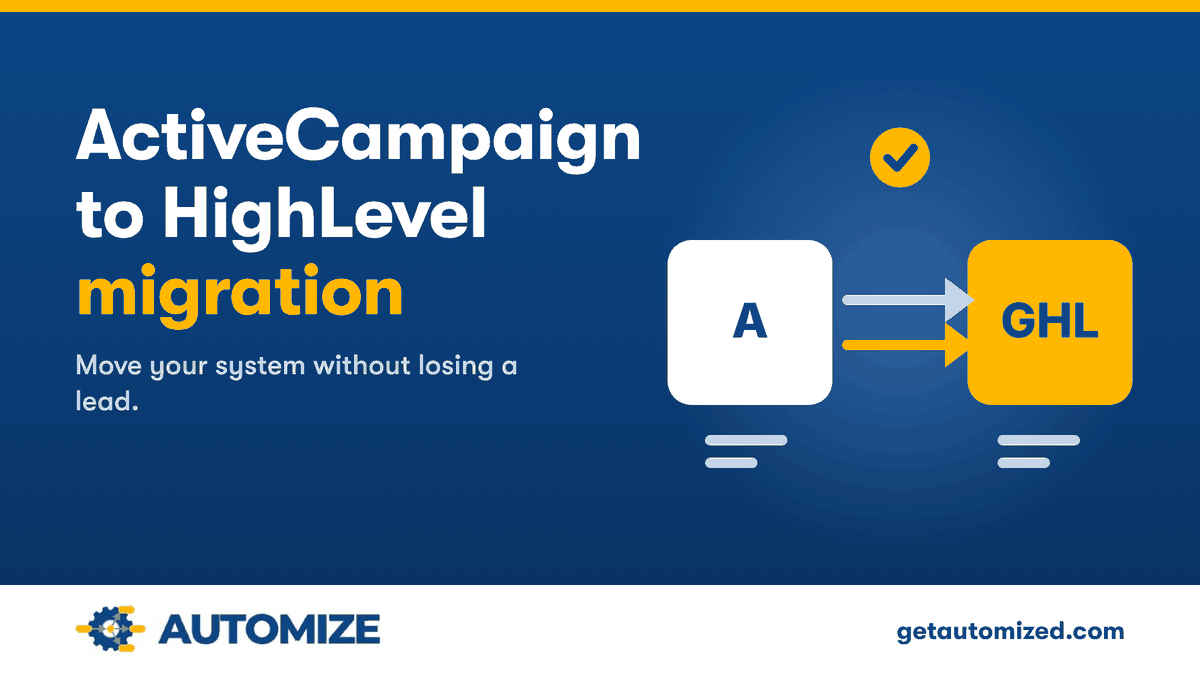
 What You Need to Know When You Want to Migrate From ActiveCampaign to HighLevel
Automize migrates ActiveCampaign accounts to GoHighLevel (also called HighLevel, Go High Level, or GHL) for you. Ryan Van Tricht, Founder & CEO of Automize and an ActiveCampaign Certified Consultant with 6 years specializing in GoHighLevel, handles the move and works with you directly, with no handoff to a junior.
When you’re ready to migrate from ActiveCampaign to HighLevel, you’ll find the switch can substantially optimize your B2B operations. Start by familiarizing yourself with HighLevel’s features and consult their experts for a smoother changeover.
You should designate a team leader to oversee the move, ensuring all essential data, such as contacts and deals, are exported clearly and imported into HighLevel with correct field mapping. Remember to train your team thoroughly on HighLevel’s functionalities to fully leverage its potential.
This switch not only enhances your marketing automation and sales pipeline management but can also change what you pay, depending on your ActiveCampaign plan and contact count. Keep exploring to see how this migration can significantly improve your business efficiency and strategy implementation.
Key Takeaways – ActiveCampaign vs GoHighLevel

- Contacts and deals move over as data. Automations have to be rebuilt in HighLevel, because ActiveCampaign can’t export them.
- Utilize an expert’s consulting services to navigate complex features during migration.
- Appoint a HighLevel Champion to oversee the transition and assist the team.
- Engage in comprehensive HighLevel training sessions to ensure team proficiency.
- Regularly monitor and optimize marketing automation using HighLevel’s analytics tools.
Reasons for Transition
 Reasons for Transition
Considering a switch from ActiveCampaign to GoHighLevel could greatly enhance your marketing efforts, especially if you’re managing a B2B operation. We also have many clients who are B2C that are successfully using HighLevel after switching from ActiveCampaign.
When you migrate from ActiveCampaign to HighLevel, you’re not just changing software; you’re upgrading your entire marketing and sales approach. GoHighLevel stands out in the ActiveCampaign vs GoHighLevel comparison due to its superior management of offline sales pipelines, which is essential for B2B as well as B2C companies.
With GoHighLevel, you’ll discover enhanced marketing automation capabilities that allow for more complex and effective customer journey mapping. This means you can automate more processes with greater precision, tailoring each step of your customer’s journey to their specific needs and behaviors. This level of customization was harder to achieve with ActiveCampaign.
Moreover, the improved efficiency in marketing and sales workflows offered by GoHighLevel means your team can spend less time on manual tasks and more on strategic planning and execution.
The platform’s flexibility in funnel creation empowers you to design sales processes that are perfectly aligned with your business goals.
If you’re considering this change, engaging a GoHighLevel consulting service can provide you with expert guidance and support a smoother shift, helping your business get more from the platform. Automize specializes in both ActiveCampaign and HighLevel.
Looking for a Go HighLevel consultant to move you off ActiveCampaign? You work directly with Ryan Van Tricht at Automize.
We review every submission and follow up within 2–3 business hours. No obligation. No sales pitch.
Preparation Steps to Migrate from ActiveCampaign to HighLevel

Before you initiate the migration from ActiveCampaign to HighLevel, it’s important to get acquainted with HighLevel’s features and terminology. Understanding these basics will help you prepare for a smoother changeover.
Explore the resources provided by a Go HighLevel consulting specialist, such as Automize; they’re invaluable in breaking down complex features into understandable segments.
Next, appoint a Go High Level consultant within your team as the HighLevel Champion. This person will spearhead the migration efforts, tackling any challenges that arise and making sure that everyone stays on track. It’s their job to keep the momentum going and troubleshoot efficiently.
You’ll also need to thoroughly assess your current ActiveCampaign setup. Identify the most vital funnels, automations, and customer journeys that have been effective for your business. This step is significant as it helps you replicate these success elements in HighLevel without missing a beat.
Lastly, draft a dynamic Marketing Automation Plan. This plan will be your roadmap in HighLevel, outlining strategic implementation steps tailored to your business needs. It’s not just about moving data; it’s about enhancing your processes to leverage HighLevel’s advanced capabilities.
This preparation will pave the way for a successful migration and improved operational efficiency.
ActiveCampaign to HighLevel Data Migration: What Moves and What Gets Rebuilt
Your contacts and deals move into HighLevel as data, with each field mapped to the right place. Your automations, campaigns, and forms do not move that way. ActiveCampaign can’t export automations, so each one is rebuilt in HighLevel from its triggers, actions, and conditions.
That rebuild decides whether your follow-up keeps working after the switch. It is the part Automize does for you, so you are not left with workflows that fail silently.
Automize – Your Go High Level Consultant

If you determine that it would be best for you to outsource this migration of ActiveCampaign to HighLevel, Automize specializes in Go High Level Consulting, along with being an ActiveCampaign Certified Consultant.
When considering the transition from ActiveCampaign to HighLevel, it is crucial to have expert guidance to ensure a smooth and efficient migration. Automize, your dedicated Go High Level consultant, excels in this niche, offering specialized consultancy services that address the specific needs of businesses aiming to leverage the advanced features of HighLevel.
As an ActiveCampaign Certified Consultant, Automize not only brings deep understanding of your current platform but also possesses extensive expertise in the functionalities and advantages of HighLevel. Whether it’s comparing ActiveCampaign vs GoHighLevel to identify which platform better suits your business needs, or executing the technical aspects of the migration, Automize’s Go High Level Consulting services are designed to support a smooth transition and help you get more from your marketing strategies.
This expertise ensures that your business leverages the robust features of HighLevel effectively, enhancing your marketing automation and CRM capabilities.
Want an ActiveCampaign Certified Consultant to handle your migration to GoHighLevel? See if Automize is the right fit.
We review every submission and follow up within 2–3 business hours. No obligation. No sales pitch.
Training and Implementation of Your Team on GHL
 Training and Implementation of Your Team on GHL
Once your data is securely transferred to HighLevel, it’s crucial to focus on training and implementation so your team can use the new system with confidence.
You’ll need to provide thorough training sessions that highlight the key features of HighLevel, especially those that enhance your marketing automation and sales processes.
Here are practical steps to confirm effective training and smooth implementation:
- Gradual Training Rollout: Start with your tech-savvy team members. They’ll grasp the nuances quicker and can assist in training others.
- Diverse Learning Resources: Use HighLevel’s support documents and tutorial videos on platforms like YouTube. This variety caters to different learning styles and paces.
- Monitor Adaptation: Keep a close eye on how your team is adapting to HighLevel. Address any challenges promptly and tweak training as needed.
- Encourage Engagement: Promote ongoing engagement with the platform. Familiarity breeds expertise, so encourage your team to explore and utilize new features.
- Feedback Loop: Collect and utilize feedback to enhance training methods and resolve any usability issues.
Implementing these steps will help you maximize the benefits of HighLevel, supporting a smooth transition and efficient use of your new marketing toolkit.
Post-Transition Optimization of GHL

After your team is up to speed with HighLevel, it’s important to keep a close eye on how your new tools and strategies are performing. Start by monitoring key metrics like open rates and conversion rates. These figures will tell you a lot about where you need to focus your optimization efforts.
Don’t forget to use HighLevel’s advanced analytics tools to track customer interactions and engagement. This data is invaluable for making informed adjustments to your marketing strategies.
Regularly reviewing and updating your Marketing Automation Plan is essential. As your business goals and customer behaviors evolve, your strategies should too. This keeps your campaigns fresh and effective.
Also, leverage the A/B testing features available in HighLevel. They’ll help you refine your email campaigns and funnels based on actual performance data and real-time feedback.
Encourage your team to share their insights and best practices from using HighLevel. Collective learning will foster a culture of continuous improvement.
Cost Comparison Analysis When Determining Whether You Should Migrate From ActiveCampaign to HighLevel
 Cost Comparison Analysis When Determining Whether You Should Migrate From ActiveCampaign to HighLevel
ActiveCampaign and GoHighLevel are priced differently, so the useful comparison is your own monthly bill, not a headline number.
ActiveCampaign prices by plan tier and by how many contacts you store. Features such as CRM pipelines, SMS, and custom reporting depend on the plan or an add-on. Check ActiveCampaign’s current pricing page against your actual contact count before you compare.
GoHighLevel’s plan fee is not tied to how many contacts you store. As of November 2026, its published plans start at $97 per month (Starter), with Unlimited at $297 and Agency Pro at $497. Email, SMS, phone, and AI features are billed by usage on top of the plan. Our GoHighLevel pricing guide covers what each plan includes.
- Tools you may be able to cancel: GoHighLevel’s plans include a CRM, sales pipeline, funnel builder, calendar, and email marketing, so you may be able to drop separate tools you pay for today.
- Costs that can go up: usage-based email, SMS, phone, and AI charges. Estimate them from your real send volume before you switch.
- The migration itself: Automize quotes done-for-you migrations as a fixed price after a discovery call, so you know the investment before any work starts.
Want a fixed-price plan for your ActiveCampaign to GoHighLevel migration? Start with a fit check.
We review every submission and follow up within 2–3 business hours. No obligation. No sales pitch.
Tech Support and Resources

During your migration from ActiveCampaign to GoHighLevel, you’ll find robust tech support and thorough resources designed to ease the change. GoHighLevel offers a wealth of documentation, including detailed video tutorials and thorough user guides. These tools are specifically geared to help you navigate the platform efficiently, ensuring you’re never left in the dark.
If you decide to team up with Automize as your Go High Level Consultant, we will walk you through everything you need to know.
You can also tap into the GoHighLevel community forum, a valuable space where you can connect with other users. Here, you’ll exchange tips, share migration experiences, and find troubleshooting advice, which can be especially useful during your change. It’s a place to learn from others who’ve already made the move.
HighLevel’s dedicated tech support is readily accessible through email and chat. Whether you’re facing a small hiccup or a larger issue, they’re there to provide the necessary assistance promptly. The platform’s knowledge base includes FAQs and troubleshooting guides, empowering you to solve common problems on your own.
Don’t forget to leverage the training webinars and live Q&A sessions offered by HighLevel. These are great opportunities to gain deeper insights and best practices for making the most out of your new marketing tools post-migration.
Customizing HighLevel Settings
 Customizing HighLevel Settings
Now that you’re equipped with the necessary resources and support from HighLevel, you’ll want to tailor the platform to fit your business’s unique needs.
Adjusting the settings to your specific requirements is an essential step to maximize efficiency and effectiveness in your marketing and sales efforts.
Here’s how you can customize your HighLevel settings:
- General Account Preferences: Navigate to the Settings section in your dashboard to tweak general account settings. This includes setting up your timezone, language, and default currency, ensuring that all operations run smoothly and in alignment with your local business practices.
- Business Details: Update your business name, address, and contact information under the settings. This info will automatically populate in your communications and marketing materials, presenting a consistent brand to your clients.
- Feature Customization: Enable or disable various features such as SMS marketing, email notifications, and call tracking. Tailor these settings based on what fits best for your operational needs and customer engagement strategies.
- Custom Fields: Utilize the “Custom Fields” menu to create fields specific to your business. This helps in capturing unique data points vital for your customer interactions and reporting.
- Branding Options: Adjust branding settings to match your business’s visual identity. This includes logos, color schemes, and email templates, ensuring that all client-facing materials reflect your brand accurately.
Integrating Third-Party Tools

Integrating third-party tools with HighLevel can greatly enhance your marketing and sales automation by streamlining workflows and expanding functionality. For instance, by using Zapier, you’ll connect HighLevel with hundreds of other applications, automating tasks that would otherwise require manual intervention. This means you can focus more on strategy and less on the nitty-gritty.
Additionally, integrating Google Analytics allows you to monitor your website’s performance directly through HighLevel. You’ll see real-time data on your marketing campaigns’ effectiveness, helping you to make informed decisions quickly. This integration helps keep your key metrics accessible in one place, simplifying your analysis and strategy adjustments.
Don’t forget about email communications. By connecting services like Gmail or your preferred SMTP provider, you manage all your email interactions within HighLevel. This centralization of communication tools not only saves time but also enhances the consistency of your messaging.
Lastly, integrating payment processors such as Stripe or PayPal facilitates smooth transactions within your campaigns and funnels. This integration helps keep the payment process from becoming a bottleneck in your sales process, thereby improving the customer experience and potentially boosting conversion rates.

Measuring Success Metrics
How do you determine if your switch to HighLevel is paying off? You’ll want to meticulously track specific metrics that reflect the success of your marketing efforts.
Here’s a straightforward way to measure the impact:
- Open Rates and Click-Through Rates: Begin by comparing these rates before and after shifting to HighLevel. A noticeable improvement indicates that your emails are resonating better with your audience.
- Conversion Rates: Measure how well your landing pages and calls-to-action are performing. An increase in conversion rates suggests more effective customer journeys and content alignment.
- Workflow Performance: Utilize HighLevel’s analytics to monitor how your automations and workflows perform. Efficient workflows should lead to higher engagement and conversion.
- Customer Engagement Metrics: Keep an eye on metrics like average response times and lead nurturing success rates. Improvements in these areas can signal a more responsive and effective customer interaction strategy.
- A/B Testing Results: Test different elements in your email campaigns and landing pages. Effective A/B testing in HighLevel will help you refine your strategies based on real-time feedback and data.
Regularly reviewing these metrics will help you understand the effectiveness of your shift and guide further optimization.
Frequently Asked Questions About Migrating from ActiveCampaign to HighLevel

How Do I Export All Data From ActiveCampaign?
To export all data from ActiveCampaign, log in, navigate to Contacts, and click Export. Also, export Deals and Campaign Templates. Verify you’ve documented all form fields and actions for a smooth changeover.
Can You Export Automations From ActiveCampaign?
You can’t directly export automations from ActiveCampaign. You’ll need to manually document them or use screenshots as references to recreate in another platform. Remember to note triggers, actions, and conditions for accurate setup.
How Do I Downgrade ActiveCampaign?
To downgrade ActiveCampaign, log into your account, navigate to ‘Billing & Account,’ select ‘Change Plan,’ choose a lower-tier subscription, review the changes, and confirm by following the on-screen prompts.
How Do I Merge ActiveCampaign Accounts?
To merge ActiveCampaign accounts, export contacts from one, then import them into another. Verify accurate field mapping and clean duplicates. Manually transfer automations and campaigns to maintain functionality in your primary account.
Migrate from ActiveCampaign to HighLevel
 Migrate from
Now that you’re set to switch from ActiveCampaign to GoHighLevel, you’re on the path to enhancing your marketing and sales efficiency. By following these steps, you’ll streamline your processes, leverage advanced features, and see tangible improvements in your business outcomes.
Remember, continual optimization and embracing tech support will keep you ahead. So, immerse yourself in GoHighLevel, customize it to fit your needs, and watch your business achieve new heights of success! And to make the transition easier, team up with Automize and have it done for you!
Not ready to move yet? See how Automize works as an ActiveCampaign consultant for teams that are staying on the platform.
Moving from a different platform? Automize also handles the Keap (Infusionsoft) to GoHighLevel migration and the HubSpot to GoHighLevel migration. Still comparing platforms? See our GoHighLevel alternatives guide. See every option on our GoHighLevel migration services page.