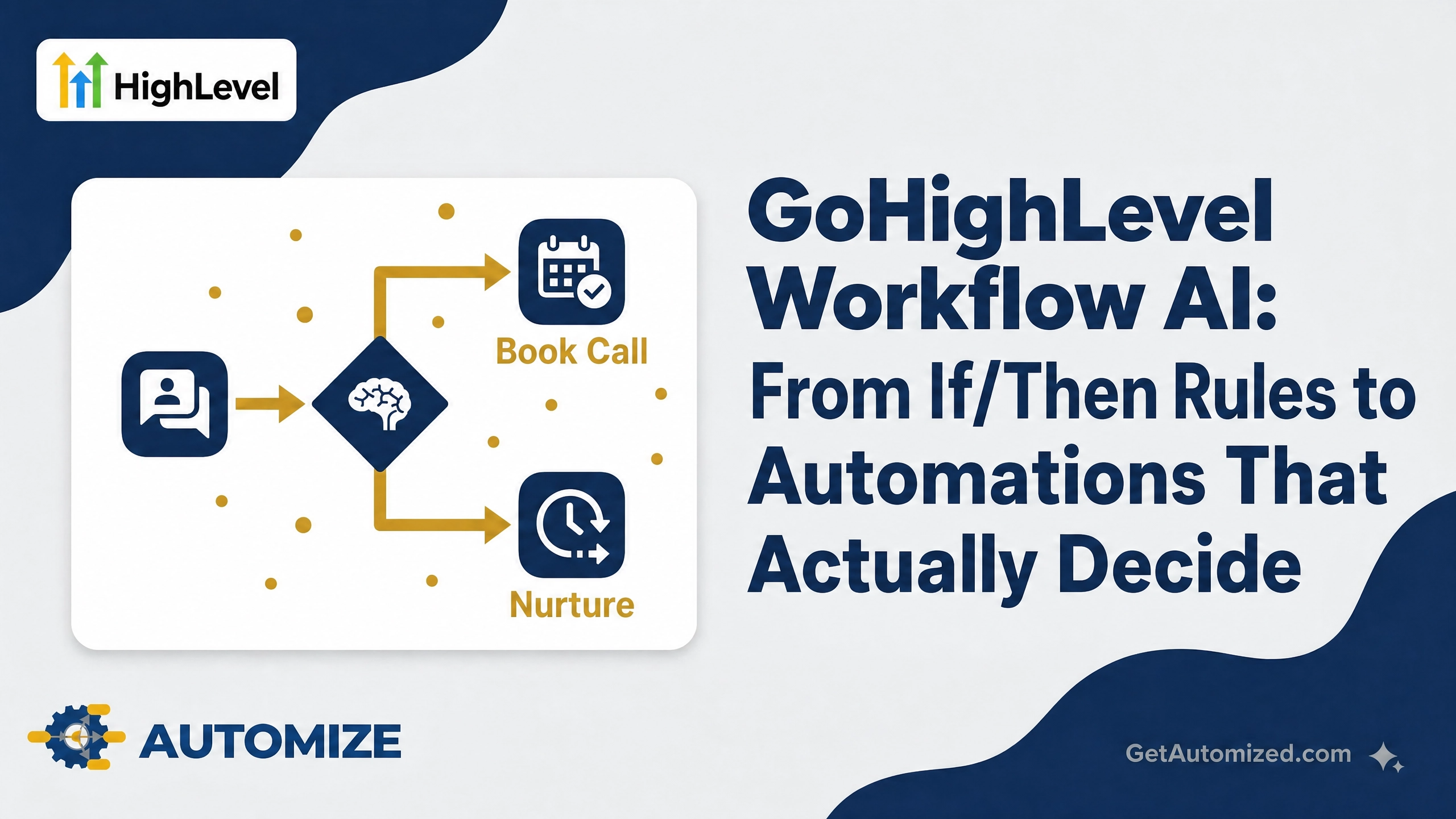
GoHighLevel Workflow AI is a set of AI-powered actions you can drop directly into the workflow builder — the AI Agent action, the GPT-Powered action, the Conversation AI action, and AI-powered email generation — that let a workflow make a judgment call instead of just following a rule. That’s the short answer. The longer answer is where most of the value actually lives: knowing which action to use for which decision, and what happens when you configure it wrong.
We build and fix GoHighLevel automations for a living, and Workflow AI is the single biggest jump in what a GHL automation can actually do since the platform launched. It’s also the easiest place to introduce a failure that nobody notices until a lead has already gone cold.
If/Then Logic vs. Context-Aware AI Decisions
Traditional GoHighLevel workflows run on conditions you define ahead of time: if a tag is applied, do this; if a form field equals this value, branch there. That works fine when every scenario is one you thought to plan for.
The problem is real leads don’t sort themselves into the boxes you built in advance. A lead who says “I’m interested but not right now” doesn’t match a tag condition — a human reading that message would understand it instantly, but a rigid workflow just moves them along the same path as everyone else.
Workflow AI actions read the actual content — the message, the conversation history, the call transcript — and decide the next step based on what’s actually there, not just what field got filled in.
The Four AI Actions You Can Build Into a Workflow
AI Agent workflow action — automates multi-step tasks from plain-language instructions. You describe the goal and give it access to specific tools; the agent decides what to do and in what order, rather than you hardcoding every step. It can automatically pull a contact’s past conversations across channels or their call transcripts when that context is relevant to the decision — it decides on its own when that history matters.
GPT-Powered action — connects directly to GPT-4/GPT-5 to generate a dynamic, context-aware response inside the workflow, rather than sending the same static message to everyone who hits that step.
Conversation AI workflow action — sends an AI-generated message, waits for the contact’s reply, and routes the workflow down different branches based on that reply. It draws on the Personality, Additional Instructions, Question, Training, and conversation history you’ve configured for that AI agent.
AI-powered email generation — generates email copy relevant to the specific workflow context and the specific contact, instead of pulling from one generic template for every recipient.
If you’d rather not build the logic from scratch, the Workflow AI Builder can generate and edit an entire workflow from a plain-language description — useful for a first draft, though it still needs a practitioner’s review before it touches real leads.
Where This Actually Matters: Three Scenarios
Sentiment-based routing. A lead replies “this is way more than I expected to spend.” A rigid workflow sees a reply and moves on to the next scheduled touch. A Conversation AI action reads the sentiment, recognizes a price objection, and routes to a value-reinforcement sequence instead of the standard next step — before a human ever sees the message.
Mid-sequence lead quality evaluation. Not every lead who enters a nurture sequence deserves the same five follow-ups. An AI Agent action can evaluate a lead’s responses partway through — checking for buying signals, budget mentions, or urgency language — and either accelerate them toward a booking or quietly move them to a longer-term nurture track.
Context carried across channels. A contact texts a question, then calls a day later. Without context-aware AI, your team starts the call cold. With an AI Agent action pulling in the SMS history and prior call transcripts automatically, the next message or the person answering the phone already knows what was asked.
Where Workflow AI Breaks Silently
This is the part that separates a workflow that works from one that quietly stops working, and nobody notices for weeks.
Here’s a scenario we see often: an AI Agent action gets configured with vague instructions — “help the lead” instead of a specific goal and specific tools it’s allowed to use. The agent technically runs every time, so the workflow shows no errors. But its decisions are inconsistent, because it was never given enough constraint to decide correctly. Leads get routed unpredictably, and the first sign anything’s wrong is a pattern someone notices weeks later in the pipeline — not an error in the workflow log.
The fix isn’t turning the AI action off. It’s scoping the instructions and the available tools tightly enough that the agent’s “judgment call” has real guardrails, and testing it against edge cases before it touches live leads.
Building It Correctly: What We Check
- Specific instructions, not vague goals. “Help the lead” fails. “Determine if the lead has mentioned a budget over $5,000 and route accordingly” works.
- Scoped tool access. An AI Agent action should only have access to the specific tools it needs for its one job — not blanket access to every integration in the sub-account.
- A human-reviewed test batch before full deployment. Run the AI action against a sample of real (anonymized) conversation history before it goes live on new leads.
- A fallback branch. Every AI-routed decision needs a default path for when the AI’s confidence is low or the response doesn’t clearly match any expected pattern — silence isn’t a routing option.
Frequently Asked Questions
What’s the difference between GoHighLevel Workflow AI and Conversation AI? Conversation AI is one specific workflow action — it sends a message, waits for a reply, and branches based on that reply. Workflow AI is the broader category that also includes the AI Agent action, the GPT-Powered action, and AI-powered email generation.
Can Workflow AI actions access a contact’s full conversation history? Yes. The AI Agent action can automatically retrieve a contact’s past conversations across supported channels and call transcripts when that context is relevant to the decision it’s making — it decides on its own when to pull that history in.
Is the Workflow AI Builder the same as manually adding AI actions? No. The Workflow AI Builder generates or edits an entire workflow from a plain-language description, which is useful for a starting draft. Manually added AI actions (AI Agent, GPT-Powered, Conversation AI) give you direct control over each individual decision point. Most production workflows need a human pass over an AI-Builder draft before it’s ready for real leads.
Why would a workflow with AI actions fail without throwing an error? Because the AI action still runs successfully every time — it just makes inconsistent decisions if its instructions and tool access weren’t scoped tightly enough. There’s no error to catch; there’s just a pattern of leads being routed incorrectly that takes a human noticing to catch.
Leaving Revenue on the Table
If your workflows are still making every decision off a tag or a form field, you’re running 2023-era automation on a 2026 platform. If they’re already using AI actions but nobody’s checked whether the instructions are specific enough, the risk isn’t that the workflow breaks — it’s that it just quietly makes the wrong call, over and over, and you never see an alert about it.
We architect GoHighLevel workflows with AI actions scoped and tested before they touch a real lead. If you’re not sure whether your workflows are making context-aware decisions or just running on rigid rules with an AI label on them, let’s take a look.