GoHighLevel Appointment Funnel
How much time does your team waste every week on the tedious back-and-forth of scheduling meetings? The endless email chains of “Are you free on Tuesday?” followed by “Actually, can we do Thursday?” are a massive drain on productivity and morale. More importantly, every moment of friction in the booking process is an opportunity for a hot lead to go cold, lose interest, or book with a competitor who made it easier to say yes.
A GoHighLevel appointment funnel solves this problem permanently. It is not just about putting a calendar link on your website; it is about creating a complete, automated system that qualifies leads, gets them on your calendar, and ensures they actually show up. While a standalone tool like Calendly is useful for simple scheduling, a GoHighLevel appointment funnel integrates natively with your CRM, pipeline, and automation workflows, creating a far more powerful and revenue-connected solution. This guide will walk you through exactly how to build one.
The Problem with Simple Scheduling Links
Many businesses take a shortcut: they create a calendar, drop the link in their email signature, and call it “automated scheduling.” This approach is better than nothing, but it is still a deeply flawed strategy that costs you qualified meetings every single week.
A bare scheduling link attracts unqualified bookings from anyone who finds it, wasting your sales team’s valuable time on calls that should never have been booked. It has a high no-show rate because there is no automated reminder sequence keeping the appointment top-of-mind. And it provides no context — your sales team walks into every call blind, with no information about the prospect’s business, their challenges, or their budget. A properly built GoHighLevel booking automation funnel solves all three of these problems simultaneously.
The Anatomy of a High-Converting GoHighLevel Appointment Funnel
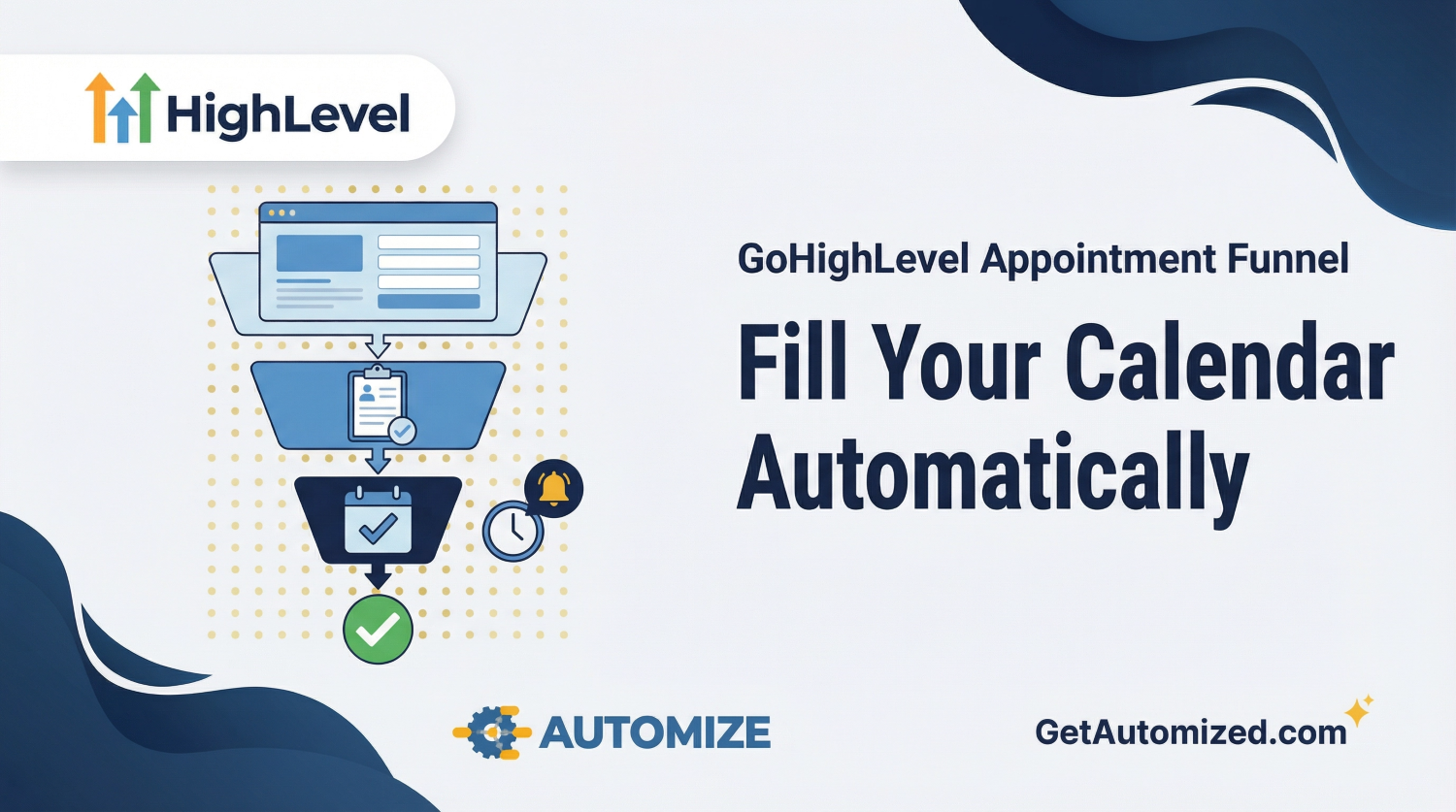
A successful appointment funnel is not a single page; it is a multi-step journey that guides the prospect from initial interest to a confirmed, qualified meeting. Each stage serves a specific purpose, and together they create a seamless experience that filters out unqualified leads while making it effortless for the right prospects to book.
| Funnel Stage | Purpose | GoHighLevel Tool |
|---|---|---|
| 1. Landing Page | A dedicated page with a compelling headline and a single call-to-action to “Book a Strategy Call” or “Schedule a Demo.” | GoHighLevel Funnel Builder |
| 2. Qualification Form | A short survey that asks key qualifying questions before revealing the calendar, filtering out poor-fit prospects. | GoHighLevel Forms or Surveys |
| 3. Calendar Scheduler | The interactive calendar where the qualified prospect selects a date and time that works for them. | GoHighLevel Calendars |
| 4. Confirmation Page | Confirms the booking, sets expectations for the call, and may include a short video or next-step instructions. | GoHighLevel Funnel Builder |
| 5. Automated Reminders | A multi-channel sequence of emails and texts sent before the meeting to dramatically reduce no-shows. | GoHighLevel Workflows |
This structure ensures that by the time someone books a slot on your calendar, they are a qualified lead who is genuinely interested in your services, has already provided key context about their situation, and has been reminded about the meeting at least three times. Your sales team walks into every call prepared and confident.
Key Automation That Powers Your Appointment Funnel
The magic of a GoHighLevel automated scheduling system lies in the workflows that run silently in the background, doing the work your team used to do manually. These automations are what separate a simple calendar link from a true revenue-generating system.
Conditional Logic for Qualification
Use conditional logic in your qualification survey to only show the calendar to leads who meet your criteria. For example, if you only work with businesses generating over $10,000 per month, you can build a workflow branch that shows a “not a fit right now” page to anyone who answers below that threshold, while routing qualified leads directly to the calendar. This alone can save your team hours of wasted calls every week.
Multi-Touch Reminder Sequences
As discussed in our GoHighLevel SMS Marketing guide, sending automated SMS and email reminders 24 hours, 1 hour, and 10 minutes before the meeting can reduce no-shows by up to 80%. A typical reminder sequence includes a confirmation email immediately after booking, an SMS reminder the day before with the meeting link, an email reminder the morning of the call, and a final SMS text 15 minutes before the meeting. This multi-touch approach keeps the appointment top-of-mind and signals professionalism to the prospect.
Instant Sales Team Notifications
The moment a new appointment is booked, your workflow should instantly notify the assigned sales representative via SMS and email. This notification should include the prospect’s name, their answers to the qualification questions, and the meeting time. Your rep walks into the call knowing exactly who they are speaking with and what problem they are trying to solve. This preparation dramatically improves close rates.
Automatic Pipeline Updates
When an appointment is booked, GoHighLevel should automatically create an Opportunity card in your GoHighLevel Sales Pipeline and move it to the “Appointment Booked” stage. This ensures your pipeline is always an accurate reflection of your sales activity, and no opportunity ever falls through the cracks because someone forgot to update the CRM manually.
How to Set Up Your GHL Calendar
Setting up the calendar itself is a straightforward process within the GoHighLevel platform. Begin by navigating to the Calendars section and creating a new calendar. Define the days and times your team is available for appointments. You can connect your Google Calendar to automatically block out times when you are already busy, preventing double-bookings.
Next, attach your qualification survey to the calendar so it appears before the scheduling step. Customize the confirmation email with your branding and any pre-call instructions. Set the confirmation page URL to redirect to a custom thank-you page in your funnel rather than the default GoHighLevel page. Finally, embed the calendar on the final step of your appointment funnel using the provided embed code or direct link.
Integrating Your Appointment Funnel with the Rest of Your System
An appointment funnel does not exist in isolation. It is most powerful when it is connected to the rest of your GoHighLevel ecosystem. Your GoHighLevel AI Chatbot can proactively engage website visitors and guide qualified leads directly into your appointment funnel, turning passive traffic into booked calls around the clock. Your SMS and email nurture sequences can include a direct link to your booking funnel for leads who are not yet ready to commit but need a gentle push.
After the appointment, your post-call workflow can automatically move the opportunity to the next pipeline stage, send a follow-up email with a proposal or next steps, and trigger a review request sequence if the deal closes. Every touchpoint in the customer journey is connected, tracked, and automated.
Frequently Asked Questions About GoHighLevel Appointment Funnels
Can I use GoHighLevel for appointment booking without building a full funnel?
Yes, GoHighLevel allows you to share a direct calendar link without a full funnel. However, a full appointment funnel with a qualification step and automated reminders will significantly improve the quality of your bookings and reduce your no-show rate. The funnel approach is strongly recommended for any business that values their sales team’s time.
How does GoHighLevel compare to Calendly for appointment scheduling?
Calendly is an excellent standalone scheduling tool, but it lacks native CRM integration, pipeline management, and workflow automation. GoHighLevel’s calendar is natively connected to your contacts, opportunities, and workflows, meaning every booking automatically updates your CRM and triggers your follow-up sequences. For businesses already using GoHighLevel, the native calendar is the superior choice.
Can I connect my Google Calendar to GoHighLevel?
Yes. GoHighLevel integrates directly with Google Calendar, allowing you to sync your availability in real time. Any events on your Google Calendar will automatically block out those time slots in your GoHighLevel calendar, preventing double-bookings.
What is a good no-show rate for sales calls?
Industry averages for no-show rates on sales calls range from 20% to 40%. With a properly configured GoHighLevel reminder sequence, most businesses can reduce their no-show rate to below 10%, which represents a significant increase in the number of qualified conversations your team has each week.
How long does it take to set up a GoHighLevel appointment funnel?
A basic appointment funnel with a landing page, qualification form, calendar, and reminder sequence can be set up in a few hours by an experienced GoHighLevel user. A more sophisticated funnel with custom branding, conditional logic, and full pipeline integration typically takes one to two days to build and test properly.
Your Calendar Should Work for You, Not the Other Way Around
Building a truly effective appointment scheduling funnel requires a deep understanding of funnel psychology, automation strategy, and the GoHighLevel platform. When all the pieces are working together — the landing page, the qualification step, the automated reminders, and the pipeline integration — you end up with a system that consistently fills your calendar with high-quality, prepared prospects who are ready to have a serious conversation.
The businesses that win in 2026 are the ones that have automated the repetitive, time-consuming parts of their sales process so their team can focus entirely on closing deals. A GoHighLevel appointment funnel is one of the highest-leverage investments you can make in your sales infrastructure.
Automize builds complete GoHighLevel appointment funnels — landing page, qualification logic, calendar configuration, reminder sequences, and pipeline integration. If you’d rather have it built correctly from day one than piece it together yourself, learn about our GHL consulting services here.